
Expire Date Font
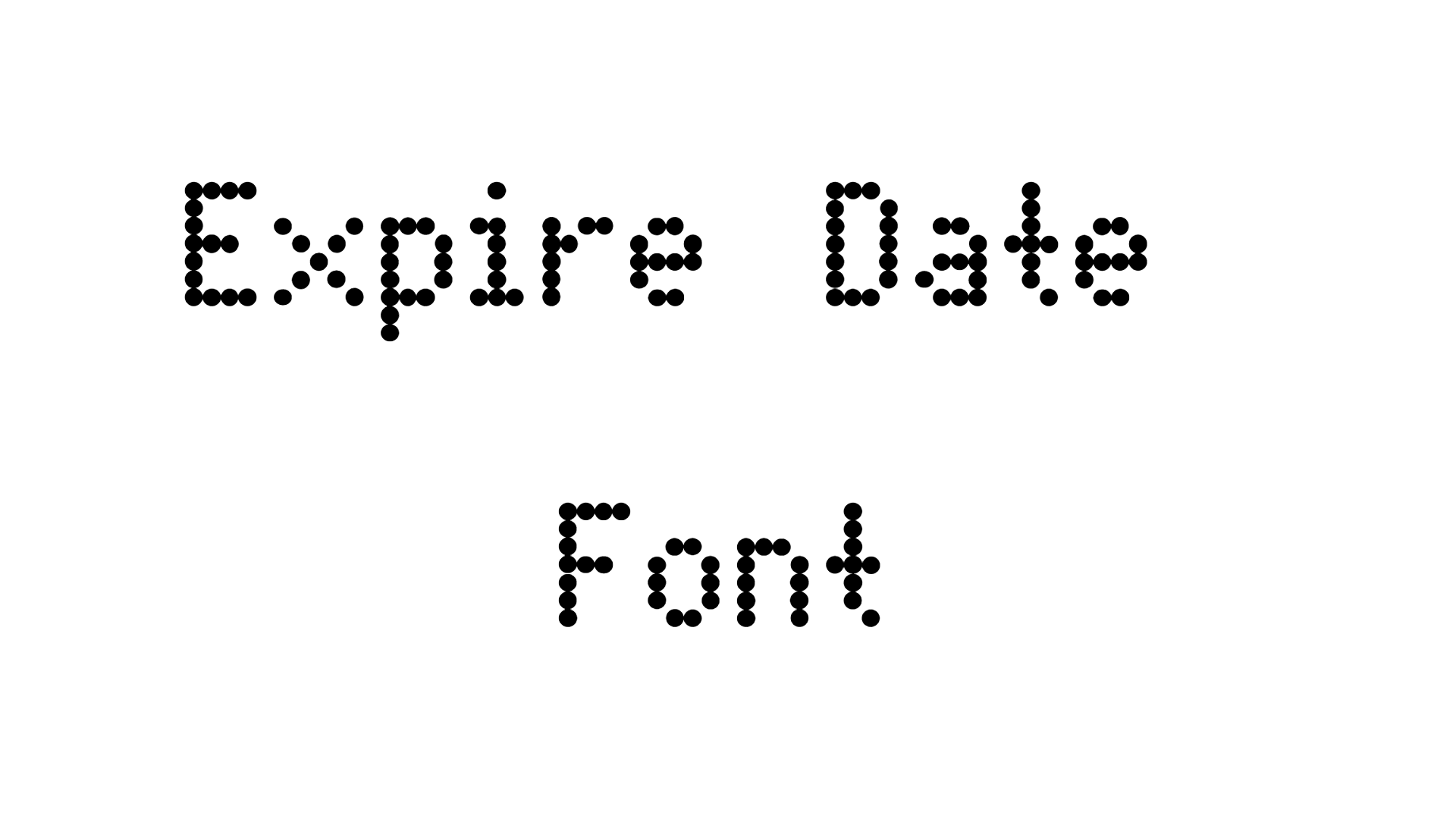
Expire Date Font Preview
Free ZIP · 2 font files · Free for Personal Use
Expire Date
All 2 styles in this font
Expire Date Character Map
Uppercase
ABCDEFGHIJKLMNOPQRSTUVWXYZ
Lowercase
abcdefghijklmnopqrstuvwxyz
Numbers
0123456789
Punctuation
!"#$%&'()*+,-./:;<=>?@[\]^_{|}~
Accented letters
ÅÆØåæòóø
Other characters
£©«»‐
Is Expire Date free for commercial use?
Free for Personal Use No. Expire Date is free for personal use. The font file does not give permission for commercial use, so for logos, products or client work, get a commercial license from the designer first.
Expire Date is a bitmap pixel font that works well for retro game titles, pixel art and 8-bit posters.
The download includes 2 styles: Regular and Bold. Pick one from the Style menu above to see it with your own text. The Regular style alone has 109 glyphs.
You can type every uppercase and lowercase letter from A to Z, plus the digits 0–9. Common marks like &, !, ? and @ are included as well. It has 8 accented letters, but not the full set for Spanish or French.
Expire Date Font FAQ
Is Expire Date free to download?
Yes. You can download Expire Date for free from this page as a single ZIP file with 2 font files. How you can use it depends on the designer's license, so check it before any paid project.
How do I install Expire Date?
Extract the ZIP, then open the font file. Click Install on Windows or Install Font on a Mac, and restart any open apps so the font shows up.
Can I use Expire Date in Canva, Word or Photoshop?
Yes. After you install Expire Date, it shows up in Word, Photoshop and other desktop apps with the rest of your fonts. For Canva, upload the font file to your Brand Kit, which needs Canva Pro or Teams.