
Dynamic Trooper font
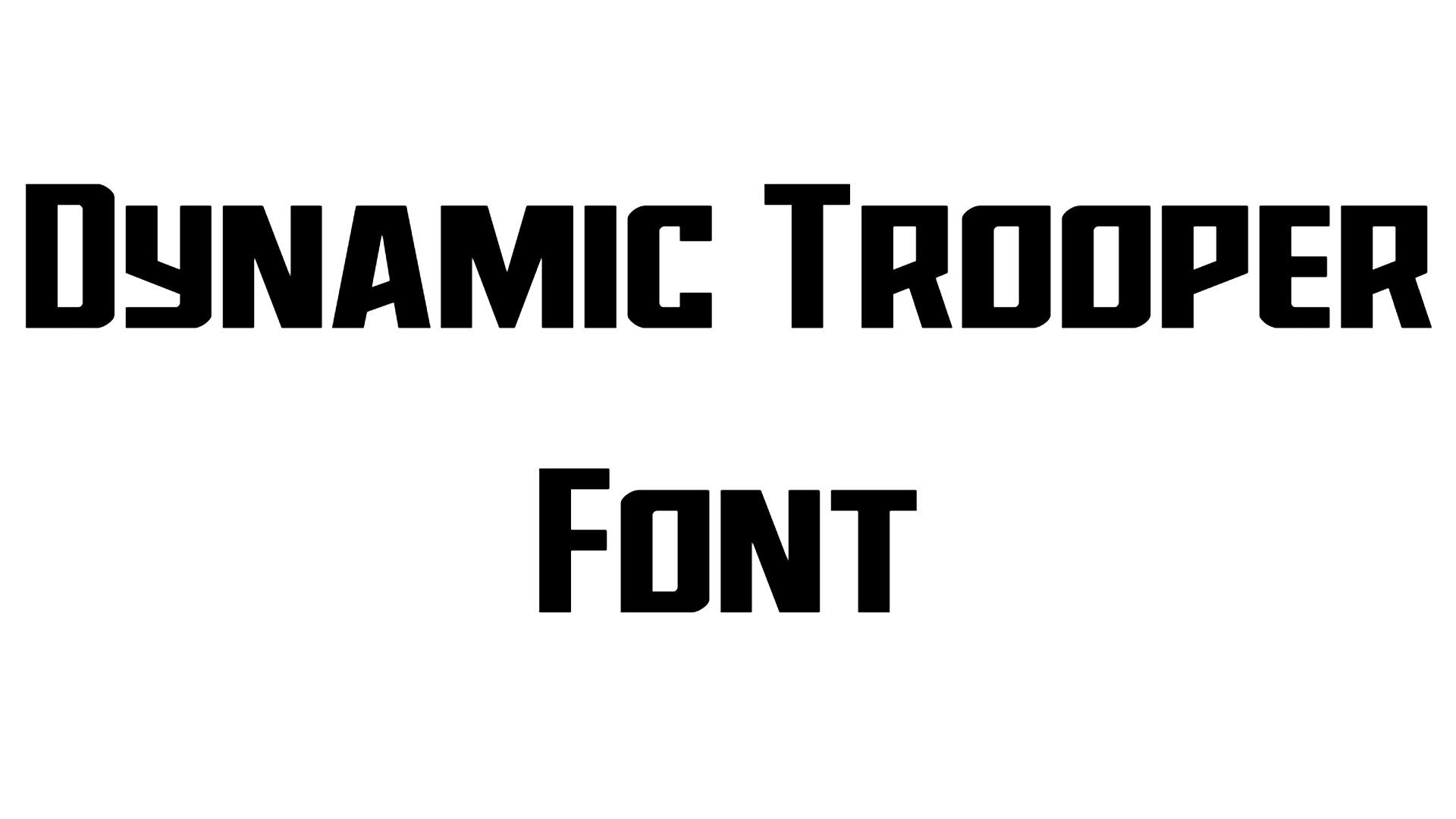
Dynamic Trooper is a bold, futuristic display font family designed by Iconian Fonts. It features a distinct techno, sci-fi style with angular lines and robust structures, making it highly popular for gaming interfaces, movie titles, and branding projects that demand an authoritative visual presence.
Dynamic Trooper Font Preview
Free ZIP · 12 font files · Free for Personal Use
Dynamic Trooper
All 12 styles in this font
Dynamic Trooper Character Map
Uppercase
ABCDEFGHIJKLMNOPQRSTUVWXYZ
Lowercase
abcdefghijklmnopqrstuvwxyz
Numbers
0123456789
Punctuation
!"#$%&'()*+,-./:;<=>?@[\]^_`{|}~
Accented letters
ÀÁÂÃÄÅÆÇÈÉÊËÌÍÎÏÐÑÒÓÔÕÖØÙÚÛÜÝÞßàáâãäåæçèéêëìíîïðñòóôõöøùúûüýþÿŒœŠšŸŽžƒ
Other characters
¡¢£¤¥¦§¨©ª«¬®¯°±²³´µ¶·¸¹º»¼½¾¿×÷ˆ˜–—‘’‚“”„†‡•…‰‹›€™
Is Dynamic Trooper free for commercial use?
Free for Personal Use No. Dynamic Trooper is free for personal use. The font file does not give permission for commercial use, so for logos, products or client work, get a commercial license from the designer first. Visit the designer
Dynamic Trooper is a techno font that works well for gaming logos, tech branding and futuristic posters. It is the work of Daniel Zadorozny.
There is one style, Regular, and it has 222 glyphs.
Every letter from A to Z is here in both cases, and so are the digits 0–9. Punctuation such as &, !, ? and @ works too. Its accented letters cover Spanish, French, German, Portuguese and Italian, so you can use it for more than just English.
Dynamic Trooper Font FAQ
Is Dynamic Trooper free to download?
Yes. You can download Dynamic Trooper for free from this page as a single ZIP file with 12 font files. How you can use it depends on the designer's license, so check it before any paid project.
How do I install Dynamic Trooper?
Unzip the download and double-click the font file. On Windows, click Install; on a Mac, click Install Font. Then restart your design app so the font appears in its font list.
Can I use Dynamic Trooper in Canva, Word or Photoshop?
Yes. After you install Dynamic Trooper, it shows up in Word, Photoshop and other desktop apps with the rest of your fonts. For Canva, upload the font file to your Brand Kit, which needs Canva Pro or Teams.